Note: You must have emails with Apexhost, if you have your own email server you will need to use that server to send mail.
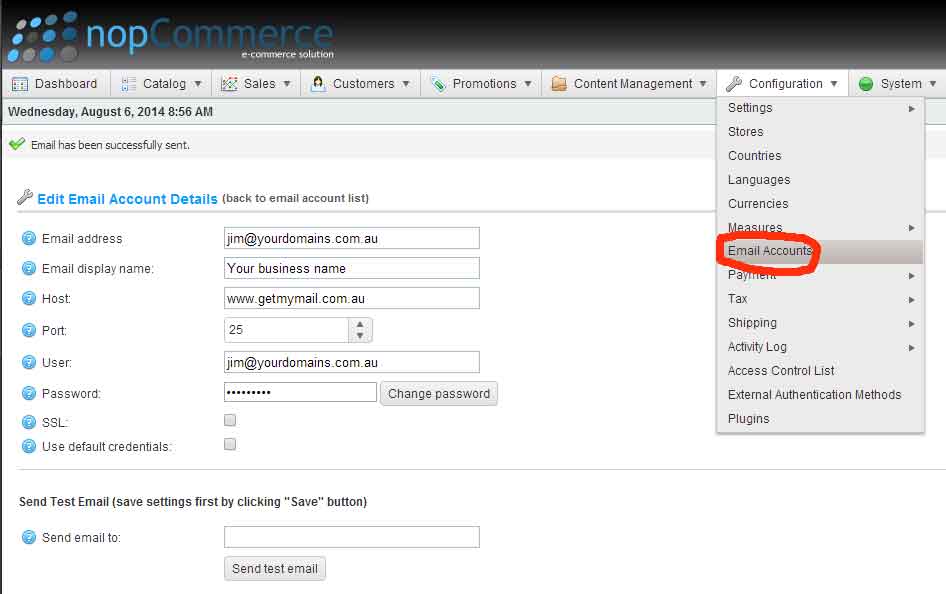
1.. Login to noPcommerce and click on Configuration > Email accounts.
2.. In the following fields enter:
Email address: enter one of the email addresses you created in our control panel. Example: info@your-domain.com.au
Email display name: My business or my name etc (can be anything you want)
Host: www.getmymail.com.au
Port: 25
User: Enter your email address you entered above (must be the FULL email address)
Password: The password you used to create the above email address.
SSL: Ensure this is NOT ticked.
Use default credentials: Leave this un-ticked.
Here is an example of the form.