
A virtual directory is a friendly name, or alias, for a physical directory on your server that does not reside in the home directory. For example, if you create a virtual directory called "images" from a folder anywhere on your server, the contents of that folder will appear at http://www.mydomain.com/images/ even though they are not physically located in the images/ subfolder of your web site's root folder.
To see the list of virtual directories click Virtual Dirs tab:
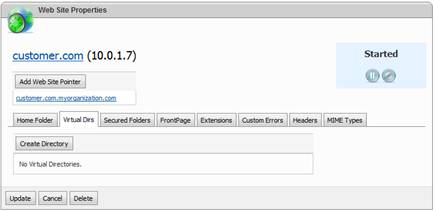
To create a new virtual directory click Create Directory button:
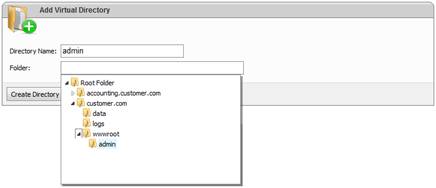
Specify virtual directory name and select its root folder. Click Create Directory button to finish the wizard.
When directory is created you will be redirected to the screen with its properties:
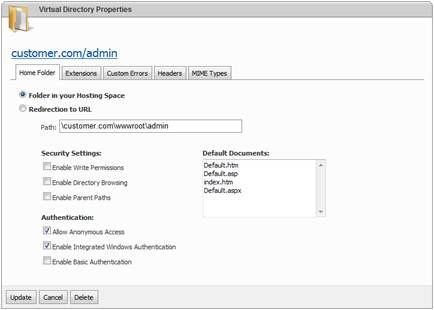
Properties look very similar to web site properties.