| 1.. Open Outlook Express. |
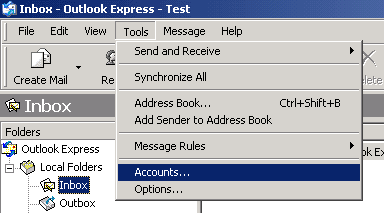
| 2.. Click on Tools > Accounts |
 |
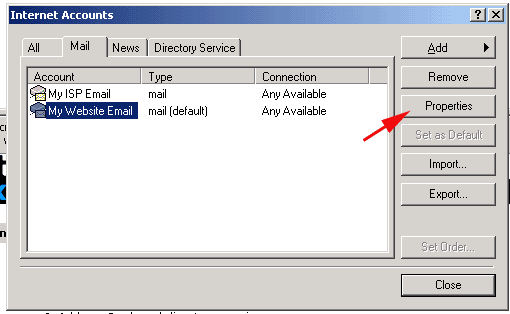
| 3.. Select the email account you have hosted with us (Not your ISP email account) |
| 4.. Click on Properties |
 |
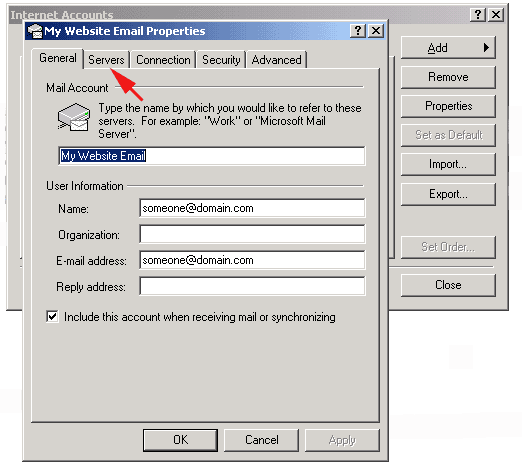
| 5.. Select the Servers tab. |
 |
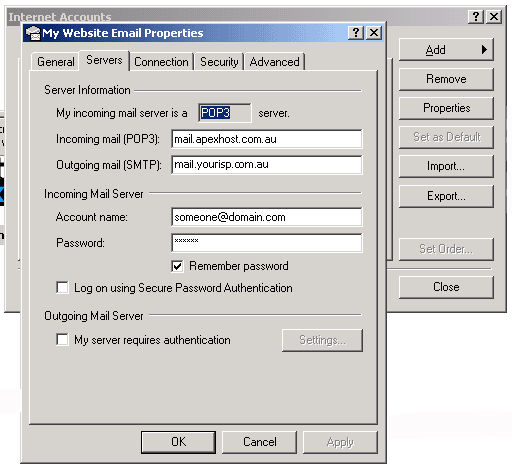 |
| 6.. Change the Incoming mail (POP3) to mail.apexhost.com.au |
| 7.. Change the Outgoing mail (SMTP) to your ISP's mail server (ie. mail.bigpond.com) |
|
That should be all that you need to do. |